Designs from Claude and ChatGPT.
Real Figma layers.
Posters, pitch decks, dashboards and slides arrive with editable text, real components and auto layout.
Animation: four designs, a travel poster, an investor deck, a clinic poster and a slide deck, each splitting into editable Figma layers.











Try it: other importers vs html2fig
Same design, two imports. Switch between them, then edit the title or recolor the cards.

 Burrata
 Spring ramen
 Rhubarb tart
Layers
What lands in your Figma file
Not a picture of the design. The working parts of it.
Text you can edit, one block per layer
Headings and paragraphs keep their font, weight and line breaks, and stay a single text layer.
Repeated cards become components
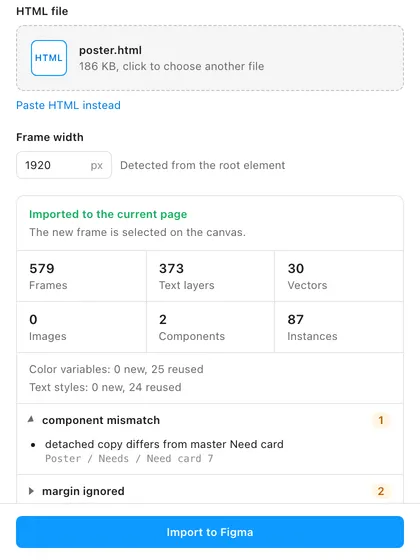
Copies turn into instances of one main component, with text properties and show or hide parts.
Auto layout and grids
Flexbox and CSS grid come in as auto layout and Figma grids.
Colors and type as styles
CSS variables become color variables; your type scale becomes text styles.
Tables, charts and slide decks
Tables become aligned grids, chart labels stay text, and each slide becomes its own 1920 by 1080 frame.
How it works
Claude or ChatGPT writes the design as an HTML file. html2fig turns that file into Figma layers.
Ask Claude
Add the html2fig skill to Claude once, or paste our prompt into ChatGPT. Then ask for a poster, deck or dashboard.
Import the file
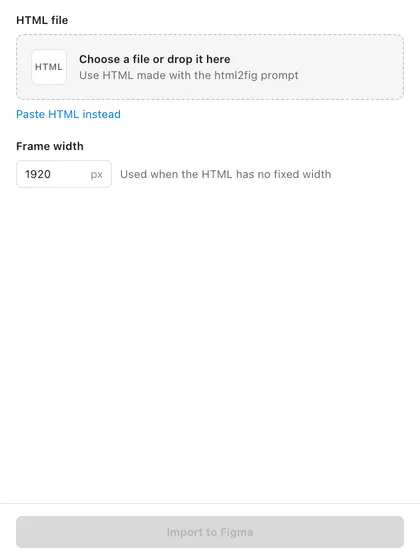
Open html2fig in Figma and drop the HTML or a zip. Pick a width if you like.
Edit in Figma
Change text, restyle a main component, swap a color variable. It's yours now.
One plugin, every kind of layout
Posters, decks, dashboards and social posts, each one landing as editable frames on your canvas.
Low Tide
Festival
Three nights by the harbor, 21 to 23 August
Mobile orders doubled this year
Share of orders placed on phones, by monthThree bets for Q4
Self-serve billing, team workspaces, a public APIRun the city
Questions
Still unsure? See support for fixes and how to ask us.
Is it free?
Yes. html2fig is free on the Figma Community.
Is my HTML uploaded anywhere?
No. The file is read on your computer, inside Figma. The only thing downloaded is a Google Font your HTML links to.
Do I need Claude?
No. Claude works best with our skill, but ChatGPT and other assistants work with the prompt from the plugin's Prompt tab.
What doesn't import?
Scripts, canvas charts and a few CSS effects like blur. When something can't be copied exactly, html2fig tells you which layer and why.
Can I import any website?
It works best with HTML made from our prompt or skill. Other HTML imports on a best-effort basis, with every difference reported.
Stop redrawing what AI already designed.
Free on the Figma Community. Your HTML never leaves your computer.